Your phone was at 100% when you left the house. By 3 PM it's gasping at 12%, and you haven't even done anything dramatic — no gaming marathons, no 4K video editing. Sound familiar? The truth is your battery isn't the problem. Nine sneaky settings are quietly sipping power all day long, and most of them take under a minute to fix.

1. Background App Refresh Running Wild
Dozens of apps refresh content in the background so they feel instant when you open them — and each one costs battery. On iPhone, go to Settings > General > Background App Refresh and switch it off for everything except messaging and navigation apps. On Android, go to Settings > Apps, tap the worst offenders, and restrict background activity. This single change is the biggest battery saver on this list for most people.
2. Location Services Set to "Always"
Check which apps have permanent access to your location — you'll be shocked. That shopping app does not need to know where you are at 2 AM. On iPhone: Settings > Privacy & Security > Location Services, and change everything non-essential to "While Using" or "Never". On Android: Settings > Location > App permissions. Your GPS radio is one of the hungriest components in your phone, and taming it can add an hour or more of screen time.
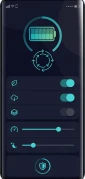
3. 5G Running When You Don't Need It
5G is fast — and thirsty. If you're mostly on Wi-Fi at home or the office, your phone is burning extra power maintaining a 5G connection you aren't using. On iPhone, go to Settings > Mobile Data > Mobile Data Options > Voice & Data and choose "5G Auto", which drops to 4G when speed doesn't matter. Android users: search Settings for "Preferred network type" and pick 4G/5G auto-switching. You won't notice the difference; your battery will.
4. Maximum Brightness and 120Hz Display
Your screen is the number one battery consumer, full stop. Turn on auto-brightness (it's in Accessibility settings on both platforms) and stop manually cranking it to maximum. If your phone has a 120Hz display, check whether you can switch to 60Hz or adaptive mode — silky scrolling looks lovely but costs roughly 10–15% more battery. Dark mode on OLED screens genuinely helps too, since black pixels are literally switched off.
5. Email Set to "Push"
Push email keeps a constant connection open so messages arrive instantly — a 24/7 battery tax for most people. Switch your accounts to fetch every 15 or 30 minutes instead: iPhone users, it's under Settings > Mail > Accounts > Fetch New Data; Android users, check your email app's sync settings. Unless you're a surgeon on call, a 15-minute email delay will not ruin your life.
6. Widgets Updating Constantly
That weather widget, stock ticker and news feed on your home screen refresh themselves on a schedule — each update wakes your phone's radios. Keep the widgets you actually glance at and delete the rest. On both iPhone and Android, long-press a widget and remove it in seconds. Fewer widgets means fewer background wake-ups, and honestly, a cleaner home screen too.
7. Bluetooth and Wi-Fi Scanning
Even with Bluetooth "off" in quick settings, many phones keep scanning for devices in the background. On Android, check Settings > Location > Wi-Fi and Bluetooth scanning and disable both. On iPhone, remember that Control Centre toggles don't fully switch Bluetooth and Wi-Fi off — go into Settings proper to disable them when you truly don't need them, like overnight.
8. Social Apps Autoplaying Everything
Instagram, TikTok and Facebook autoplay videos the moment they appear — burning data and battery while you scroll past. Open each app's settings and switch video autoplay to "Wi-Fi only" or off entirely. Heavy social scrollers regularly gain 30–60 minutes of extra battery from this one tweak, and your data plan will thank you too.
9. An Ageing Battery You're Ignoring
Sometimes it's not settings — it's chemistry. iPhone users: check Settings > Battery > Battery Health & Charging. If maximum capacity is under 80%, Apple considers the battery worn out, and no setting will fix that. Android users can check battery health in Settings > Battery on most newer phones, or with a free app like AccA. A $49–$89 battery replacement at an Apple Store or repair shop can make a three-year-old phone feel brand new.
Quick win: do this right now — it takes 90 seconds. Turn on Low Power Mode (iPhone) or Battery Saver (Android) and leave it on all the time. Modern phones handle it gracefully, and it automatically throttles half the drains on this list. Then work through the settings above one evening this week for the full effect.
You don't need a new phone — you need a leaner one. Apply even half of these fixes and that 3 PM battery panic becomes a distant memory. And if your battery health is under 80%, skip straight to fix number nine: a fresh battery is the cheapest upgrade you'll ever buy.
Want to build your own online business for free? Start here